wg8 bet App
Download APK
Free for Android
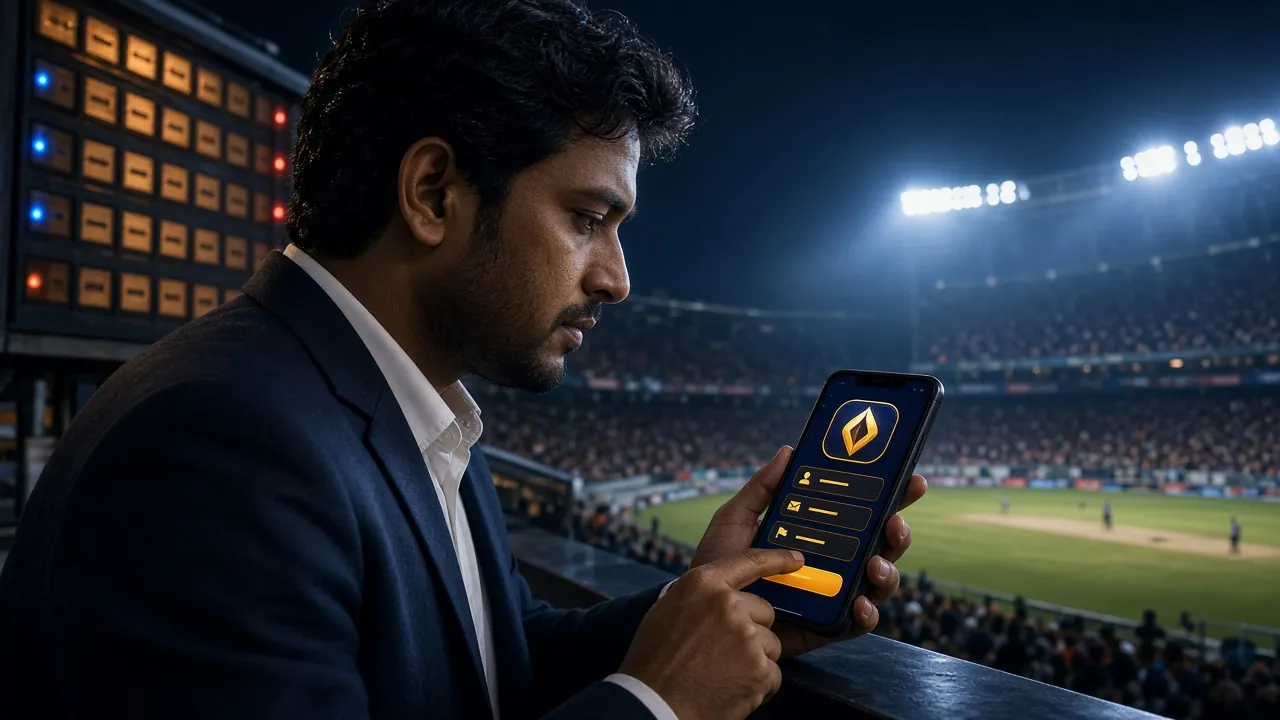
The official wg8 bet app puts cricket betting, live casino, and instant bKash deposits on your phone. Version 2.5.6 — free, 52 MB, works on Android 7.0 and above. Scan the QR code or tap the download button below.
Scan to download wg8 bet APK on Android
What You Get in the wg8 bet App
Everything on the full website fits into a 52 MB download. Here is what is available from the moment you log in.
Cricket & Sports Betting
Bet on BPL, IPL, T20, ODI, and international football straight from your phone. Live odds update in real time. Place a bet during the over break and get your result instantly. Minimum stake is just ৳10.
Live Casino on Mobile
Sexy Gaming and other live dealers stream in HD to your screen. Play Teen Patti, Baccarat, and Roulette with real croupiers. The app handles 720p video without overheating most mid-range Android phones running stock browsers.
Crash & Instant Games
Crash games load faster in the app than in browser tabs because there is no cookie-permission prompt. Cash out at any multiplier with one tap. CQ9 and JDB crash titles are available from the app lobby from the first login.
5,000+ Slot Titles
The full slot library — CQ9, Red Tiger, PG Soft, Habanero — is searchable by name or RTP. Filter to see only games above 96% RTP. You can mark favourites and they stay pinned across sessions and devices.
bKash & Nagad Deposits
Deposit via bKash, Nagad, Rocket, Upay, or Bank Transfer in under 2 minutes. The app keeps your last payment method so you skip re-entering details. Minimum deposit is ৳100. Withdrawals process in about 20 minutes.
Push Notifications
Get an alert when a match you bet on is about to start, when a withdrawal completes, or when a new bonus is available. Notifications are off by default — turn on only the ones you need inside app settings.
App Information & Download
| App Name | wg8 bet |
| Version | 2.5.6 |
| File Size | 52 MB |
| Platform | Android (APK) |
| Minimum Android | 7.0 (Nougat) or higher |
| Last Updated | 3 November 2026 |
| Price | Free |
| Languages | English / Bangla |
| Internet Required | Yes (mobile data or Wi-Fi) |
| Download Source | Official: wg8bet.lat |
Download the official APK directly from wg8 bet. No third-party store, no hidden fees. The file is signed and verified before each release.
Download wg8bet.apk — FreeOnly download from this page
Third-party APK sites may bundle malware. The only safe source is wg8bet.lat/wg8bet-app/. If a Google Play or App Store listing claims to be wg8 bet, it is not official.
Android APK Install Steps
Because wg8 bet is not on the Google Play Store, Android requires one extra setting before you install. Follow these steps exactly and the process takes under three minutes.
-
1
Allow installations from unknown sources
Go to Settings → Apps → Special App Access → Install Unknown Apps. Find your browser (Chrome or Samsung Internet) and switch the toggle to Allow. On older Android versions the setting is under Settings → Security. You can turn this off again after installing.
-
2
Download the APK file
Tap the Download APK button on this page. Chrome will show a progress bar at the bottom. The file is 52 MB, so on a standard Grameenphone connection it takes about 30–40 seconds. Do not close the browser tab while downloading.
-
3
Open the downloaded file
When the download finishes, tap Open in the Chrome notification, or go to your phone's Downloads folder and tap wg8bet.apk. Android will show an install prompt with a list of required permissions.
-
4
Tap Install and wait
Tap Install on the Android prompt. The installer usually takes 10–15 seconds. If Play Protect shows a warning, tap Install Anyway — this warning appears for all apps not in the Play Store and does not mean the file is dangerous.
-
5
iOS Users — Add to Home Screen
Apple does not allow APK files. iPhone and iPad users can add the wg8 bet website as a home screen shortcut. It behaves like an app: full-screen, no address bar, direct access to your account.
-
1
Open Safari and go to wg8bet.lat
This only works in Safari, not Chrome for iOS. Type wg8bet.lat in the address bar and load the site.
-
2
Tap the Share icon
The Share icon is the rectangle with an arrow pointing up, at the bottom of the screen on iPhone or at the top on iPad.
-
3
Select "Add to Home Screen"
Scroll down in the share sheet until you see Add to Home Screen. Tap it. You can rename the shortcut or leave it as "wg8 bet".
-
4
Tap Add to confirm
The wg8 bet icon now appears on your home screen. Tap it to open the site full-screen with your session kept active.
Games Available In the App
View all gamesThe full 5,000+ game library loads in the app. These are two of the most-played titles right now, alongside live sports betting.


App vs. Browser
Both the app and the browser version give you full access to your account. Here is where they differ in daily use.
| Feature | wg8 bet App | Mobile Browser | Desktop Browser |
|---|---|---|---|
| Game library | 5,000+ games | 5,000+ games | 5,000+ games |
| Live betting | Yes | Yes | Yes |
| Push notifications | Yes | No | No |
| bKash / Nagad deposit | Yes | Yes | Yes |
| Fingerprint / face login | Yes | No | No |
| Home screen icon | App icon | Shortcut only | No |
| Live HD casino stream | Optimised | Depends on browser | Yes |
| Auto-update | Manual (re-download) | Always latest | Always latest |
| Storage needed | 52 MB | 0 MB | 0 MB |
Security & Permissions
The wg8 bet app requests only the permissions it genuinely needs. Here is what each one is for and what it does not touch.
Troubleshooting Install Issues
Most install failures have simple fixes. Check the table below before contacting support.
| Problem | Likely Reason | Fix |
|---|---|---|
| "Install blocked" message | Android's "Unknown Sources" permission is off for your browser app. This is the most common issue and is not related to the APK itself — it is a default Android security setting that must be changed before any APK install. | Go to Settings → Apps → Special App Access → Install Unknown Apps, find Chrome or your browser, and enable it. Then tap wg8bet.apk again. |
| "App not installed" after tapping Install | There may be a corrupted or older version of the app already on the device, or the downloaded file is incomplete (download was interrupted mid-way, leaving a partial APK). | Uninstall any existing wg8 bet app first, delete the partial download, then re-download the full 52 MB APK from this page on a stable Wi-Fi connection. |
| Download stops at a percentage | Unstable mobile data connection. Grameenphone or Robi data can drop during peak hours, cutting downloads before completion. A VPN running in the background can also interrupt the file transfer. | Switch to Wi-Fi, or connect to a different mobile network. Turn off any VPN. Long-press the Chrome notification to resume the download rather than starting again. |
| App crashes on first open | The device is running an Android version below 7.0, or available RAM is below 1 GB. Some heavily customised manufacturer ROMs (e.g., older Walton or Symphony builds) may also cause a crash on launch. | Check Settings → About Phone to confirm Android 7.0 or above. Clear RAM by closing background apps. If the issue persists, contact [email protected] with your device model. |
| Games not loading inside the app | The internet connection is active but slow (below 1 Mbps), or the device's WebView component is outdated. Live casino games need at least 3 Mbps for smooth HD video; crash games need around 1 Mbps. | Update Android System WebView from the Google Play Store (search "Android System WebView"). Switch from mobile data to Wi-Fi. Restart the app after updating WebView. |
Still stuck? Reach our 24/7 live chat inside the app, or email [email protected].
Frequently Asked Questions
All FAQsDownload the wg8 bet App
-
Live cricket odds, always current
BPL, IPL, T20, and ODI markets refresh in real time. Place a bet between overs — the app handles it without page reloads.
-
bKash and Nagad deposits under 2 minutes
Tap Deposit, enter your bKash PIN, and ৳100 minimum lands in your account fast — no browser tab switching needed.
-
5,000+ games in a 52 MB file
CQ9, Red Tiger, PG Soft, Habanero, and Sexy Gaming live dealers — all searchable by name or RTP. Favourites sync across devices.
-
Encrypted sessions, no stored passwords
The app uses TLS 1.3 and never caches your credentials. Biometric login works on supported Android devices (7.0+).
Scan to download
on Android
01 Is the wg8 bet APK safe to download?
Yes, when you download directly from wg8bet.lat/wg8bet-app/. The APK is digitally signed before each release and the file hash is checked on install. The app does not request sensitive permissions like camera, contacts, or SMS. Avoid any third-party APK site — those files may have been modified. If Play Protect shows a warning during install, this is standard for all non-Play-Store apps, not a sign of danger.
02 How do I update the wg8 bet app to a new version?
The app will show an update banner when a newer version is available. Tap it to open this page and download the new APK. Install it on top of the existing app — you do not need to uninstall first, and your account and settings are preserved. The current version is 2.5.6, released 3 November 2026. Check this page for the latest build.
03 Can I use the same account on both the app and the website?
Yes. Your wg8 bet account works across the app, mobile browser, and desktop browser simultaneously. Wallet balance, bonus status, bet history, and VIP points are all synced in real time. You can place a bet on the app and check the result in your browser — the data is the same. Just do not log in from two devices at exactly the same time during a live game session.
04 Why does my Android phone say "Parse error" when I try to install?
A "Parse error" almost always means the downloaded file is incomplete or corrupted. Delete wg8bet.apk from your Downloads folder and download it again on a stable Wi-Fi connection. Also check that your Android version is 7.0 or above — the app will not parse correctly on Android 6. If the error continues, try a different browser for the download (Samsung Internet works well as an alternative to Chrome on Samsung devices).
05 Does the app work on tablets?
Yes. The wg8 bet app runs on Android tablets that meet the Android 7.0 requirement. The layout scales to larger screens — the game lobby shows more columns and the sports betting interface uses the extra width for live match stats. The install process is identical to phones. iOS tablets (iPad) should use the Safari "Add to Home Screen" method described in the iOS section above.
06 Will I lose my welcome bonus if I register through the app?
No. Registering via the app or via the website both qualify for the same first-deposit welcome bonus. Deposit at least ৳100 after opening your account and the 120% bonus (up to ৳15,000) applies automatically. The 10× wagering requirement is the same regardless of how you registered. See the Bonus & VIP guide for full terms.
07 How do I deposit via bKash inside the app?
Log in to the wg8 bet app and tap Wallet → Deposit → bKash. Enter the amount (minimum ৳100), tap Confirm, and the app opens a secure bKash payment screen. Enter your bKash PIN there — the wg8 bet app never sees or stores your PIN. The deposit reflects in your wallet within about 2 minutes. Nagad, Rocket, and Upay follow the same steps.
Ready to start?
Download the wg8 bet app, create your account, and claim your first deposit bonus. If you already have an account, just log in and start playing.
- 18+ Only
- SSL Encrypted
- 24/7 Support
- bKash & Nagad
- Free to Download
- Android 7.0+
18+ · Play Responsibly
Gambling is for adults aged 18 and above. Set deposit limits inside the app under Account → Responsible Gaming. If gambling is affecting your daily life, visit our responsible gaming page for support resources.